

Reviewed · AIRPORT TRANSFERS
Unlimited WiFi Router – Haneda Airport (Tokyo) Pickup
This is interesting because it lets you get online as soon as you land. At Haneda, you pick up a ready-to-go 4G LTE rental router, so you can check trains, maps, and ride times before you even get settled.
I like the setup for easy arrival life: you can start using it right away, and it’s built for travel convenience with included gear. I also like that it comes with a power bank, plus the cables and pouch you need, so you are not improvising in baggage claim.
One drawback to keep in mind is the daily speed rule. Even though the plan is described as unlimited usage, high speed data is limited to 3GB per day, so your heavy streaming days may feel slower later on.
Key things worth knowing before you land

- Pick-up window at Haneda: Terminal counters run roughly 6:45am to 11:45pm, with late-night return options
- Where to look: Find the NINIJA Wi-Fi counter branding (Global WiFi x NINJA WiFi) in Terminal 3, and the partner counter in Terminal 2
- Multiple device support, but plan ahead: The offer says up to 10 devices, while another detail says up to 5 devices at once
- Up to 90 days total use: The router is meant for longer trips, not just a weekend
- Daily speed limit applies: Unlimited usage, but high speed data is capped at 3GB per day
- Package includes power: You get a router, power bank, USB cable, adapter, and a Wi-Fi pouch
Landing in Tokyo with WiFi in your pocket
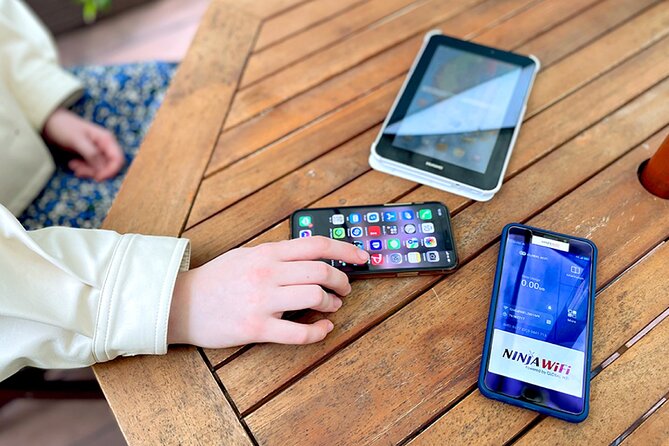
The best part of this kind of rental is simple: you stop guessing. In Tokyo, you might step out of the airport and immediately need Google Maps for station exits, walking time, and which platform connects where. Having a working signal from the start means you can confirm your route before you lose time with wrong turns.
For me, the value is also practical. If you are traveling with a friend, you can share a route, split up tasks, and still meet back at the right place. For longer trips, this setup can also be more convenient than buying a bunch of separate day passes.
There is one thing to manage: expectations about speed. The plan is unlimited, but high speed is limited to 3GB per day, so you will want to use maps, messaging, and normal browsing first, then think about saving your most data-hungry habits for when you are on hotel WiFi.
Also on the shortlist for Tokyo:
- Mt Fuji and Hakone 1-Day Bus Tour Return by Bullet Train
★ 5.0 · 26,383 reviews - 1-Day Tokyo Bus Tour
★ 5.0 · 14,250 reviews - Tokyo: TOKYO SKYTREE® Admission ticket
★ 4.5 · 11,192 reviews
Finding the NINJA Wi-Fi counter at Haneda (Terminal 2 and 3)
The logistics here are the heart of whether your day goes smoothly. The counters are outside airport security, so you handle everything in arrivals and then walk through to the rest of your airport plans without needing to backtrack.
At Haneda Terminal 3, you look for the Global WiFi x NINJA WiFi counter in the 2F Arrivals Lobby. The pick-up return counter is listed for 06:30 to 23:45. There is also a return box in the same 2F Arrivals Lobby area at the JAL ABC counter, used outside that main window, from 23:45 to 06:30.
At Haneda Terminal 2, the listed pick-up, return, and return box location is Terminal 2, 2F at the J WiFi & Mobile x Global WiFi counter, with hours shown as 6:00 to 23:00.
A small real-world tip: airport signage can be tricky when you are jet-lagged and moving fast. If you land during busy arrival waves, give yourself a bit of buffer time before you head for trains or baggage. One common complaint I’ve seen with airport pickups like this is difficulty spotting the counter from the arrival area, so it’s worth looking as soon as you enter 2F arrivals.
What you actually get in the box
This rental is not just a router in a plastic bag. The package is described as including the Wi-Fi router with unlimited usage, a USB cable, adapter, a Wi-Fi pouch, and a power bank. That matters because Japan travel often means you are living on your battery.
The power bank is a big deal for anyone who uses maps heavily. If you are the person in your group who handles directions, you typically burn through charge faster than everyone else. With the included power bank, you can keep your phone alive while the router does its job.
Also, plan on using the device immediately after pick-up. The experience is specifically meant to help you start using internet as soon as you land at Haneda, which is what you want if your first stop is a hotel, a long train ride, or a theme park day.
4G LTE unlimited usage, but mind the 3GB daily high-speed cap

The plan is presented as 4G LTE with unlimited usage. That’s the right framing for a device you might use for days, not hours. It also fits the way you actually travel in Japan, where you bounce between train stations, walking routes, restaurant searches, and photos.
But there is an important detail: high speed data is limited to 3GB per day. The data limit is not a total daily shutdown. It is specifically the high speed portion that is capped, so it’s best to treat each day like you have a budget for big data tasks.
So what does this mean for your trip?
- For most people, using Google Maps, ride info, translation apps, and messaging will fit nicely.
- If you are planning lots of YouTube or heavy streaming on mobile data each day, you may want to ration it.
In real travel terms, this limit usually matters most when you rely on mobile data for everything, including video. If you can, save streaming for hotel WiFi or do it when you have good signal and you know you will have time to recharge.
A change of pace from Tokyo:
- Tokyo: teamLab Planets TOKYO Digital Art Museum Entry Ticket
★ 4.6 · 9,779 reviews - Mt Fuji & Hakone Cruise, Drum Show Bullet Train 1 Day from Tokyo
★ 4.0 · 7,413 reviews - Tokyo: Sumo Show Experience with Chicken Hot Pot and a Photo
★ 4.8 · 6,678 reviews - Tokyo: Shinjuku Food Tour (13 Dishes at 4 Local Eateries)
★ 5.0 · 6,603 reviews
How many devices can connect at once

The offer says the router is good for up to 10 devices. Another provided detail says the routers provide a connection for up to 5 devices at once. That difference is worth treating carefully.
Here’s the practical approach: if your group has more than five phones or tablets trying to connect, expect that you might need to stagger logins or accept that not everyone will stay connected. If you have up to five devices, you are likely within the safer range.
This matters if you are traveling with a family where kids want constant devices. You might also be mixing phone, tablet, and a smartwatch-style connection. Before you leave the airport, do a quick check: confirm which devices are connected, then shut off WiFi on devices that you are not actively using.
Using it across Tokyo and beyond

This kind of pickup is most useful when your schedule is packed and you need constant routing help. Having a rental WiFi router is great for jumping between areas without time-wasting detours.
One highlight from usage-focused feedback is that it worked well during busy sightseeing, including a day at Tokyo Disney parks. That’s the kind of situation where mobile signal can get crowded and where you need fast map navigation. The same idea applies to crowded shopping streets, train transfers, and day trips where you might switch trains or walk more than you expect.
You can also lean on it for everyday essentials: checking Google Maps, social media, and video like YouTube. The experience is also framed around staying connected for messaging and general browsing while you explore Japan.
Battery life and why it matters more than you think

The router itself matters, but battery management matters even more. The included power bank helps you keep your phone running, and the device is described as lasting for up to 90 days in total use, which points to the system being designed for longer trips.
A common practical note from real use is that the device battery can be enough for an entire day, meaning you are not stuck tethered to a wall charger while sightseeing. That gives you freedom in your plan. You can do a morning start, a full day of moving around, and then plug in when you get back.
Still, be smart. If your hotel has fewer outlets or you need your charger for other gadgets, plan your charging routine the night before. Keep the power bank in your day bag and the router in the same spot each day so you do not lose time hunting for cables.
Returning the router without stress

Returning is where people can accidentally create a problem for themselves. Here, the counters and return boxes are listed outside security, which is good, because you do not have to time your return with a security line.
If you are returning during the main hours, you use the same general counter locations listed for pick-up, depending on whether you are in Terminal 2 or Terminal 3. If you are flying late or extremely early, Terminal 3 has a return box option, and Terminal 2 also lists a return box within the hours given.
The key practical move: don’t wait until the last minute if you can avoid it. Set a reminder the night before, and do a quick check that you have the router and all required pieces. The package includes the router plus accessories, and losing a piece can turn a simple return into a hassle.
Price and value: is this worth $14.48 per person?
At $14.48 per person, this can be a strong deal if you are using your phone heavily for navigation and communication. The reason is simple: Japan can make data usage expensive if you rely on roaming, and even buying multiple data options can add up fast for families.
This rental also avoids the typical headache of deciding, before you land, which device plan you can actually set up right away. Here, the whole point is that you pick it up in the airport and can begin using it immediately.
The value gets even better if you are traveling with at least two people who need phones online. A shared router can cover multiple devices, and the included power bank reduces your need to buy extra charging gear at the last minute.
Your “value” equation should still include the 3GB per day high-speed limit. If you expect to stream large amounts of video every day, the plan may not feel unlimited in practice. If your data use is maps, messaging, and normal browsing, it’s likely to match how most people explore.
Who this Haneda WiFi pickup is best for
This works best if you want simple, immediate internet on arrival. You might especially like it if:
- You land at Haneda and want internet before you touch trains
- You rely on Google Maps for station exits and walking directions
- You are traveling for more than a few days and want one consistent setup
- You have a group where multiple people benefit from shared connectivity
It might be less ideal if:
- You plan to do lots of streaming on mobile data every single day
- You have a large group of devices beyond the likely connection limits
- You are landing very late and need perfect English communication during a stressful moment, because airport staffing can vary
The good news is that when the pickup goes smoothly, it’s a straightforward win. One easy pick-up experience can set the tone for the whole trip.
Should you book this WiFi router pickup?
I’d book it if your priority is fast, airport-to-street internet at Haneda. The combination of pickup at Terminal 2 or 3, the included power bank, and the promise of immediate use when you land is exactly what keeps your first hours in Tokyo from turning into a scramble.
I would hesitate only if your trip style is heavy video streaming or if you already know you will need more than the practical connection capacity. In that case, you might want a backup plan like saving some content offline, or pairing with hotel WiFi when possible.
If you like the idea of using your phone as a real tool, not just a camera, this is one of the most sensible “arrive ready” add-ons you can choose at Haneda.
FAQ
Where do I pick up the WiFi router at Haneda?
For Terminal 3, look for the Global WiFi x NINJA WiFi counter in the 2F Arrivals Lobby. For Terminal 2, the pick-up and return counter is listed at Terminal 2, 2F at the J WiFi & Mobile x Global WiFi counter.
What are the pick-up hours?
Terminal 3 shows the pick-up/return counter hours as 06:30 to 23:45. Terminal 2 shows pick-up/return/return box hours as 6:00 to 23:00.
Where do I return the router if I am traveling late or early?
Terminal 3 lists a return box at 2F Arrivals Lobby near the JAL ABC counter for 23:45 to 06:30. Terminal 2 also lists a return box at Terminal 2, 2F, with the hours shown as 6:00 to 23:00.
How long can I use the router?
The rental is described as lasting up to 90 days, and the trip duration is shown as approximately 3 to 30 days.
Is the WiFi unlimited?
The offer describes unlimited usage, but it also states that high speed data is limited to 3GB per day.
How many devices can connect?
The offer says it can connect to up to 10 devices, and another detail says up to 5 devices at once. Plan for up to 5 if you want the most reliable experience.
What comes with the router?
It includes the Wi-Fi router, a USB cable, an adapter, a Wi-Fi pouch, and a power bank.
Latest write-ups near Tokyo
- Tokyo Nights: Shibuya Photo Adventure★ 5.0 · 20 reviews
- Wagyu & Sake 8 Course Tasting Dinner in Shinjuku★ 4.9 · 20 reviews
- Making Japanese desserts Nerikiri & drinking matcha in Tokyo★ 5.0 · 20 reviews
- Mt. Fuji 5th Station, Owakudani Ropeway, Pirate Ship plus Outlet shopping!★ 4.5 · 20 reviews
- Japanese Whisky Hunting《HIGH-QUALITY-ONLY》Rare Tasting Class★ 5.0 · 20 reviews
- Kintsugi Experience with Arita Ware in Tokyo (English Guide)★ 4.8 · 20 reviews
- This is Asakusa! A Tour Includes the All Must-Sees!★ 5.0 · 20 reviews
- Tokyo: Karate Experience with Former All-Japan Champion★ 5.0 · 20 reviews
Airport Transfers, compared.
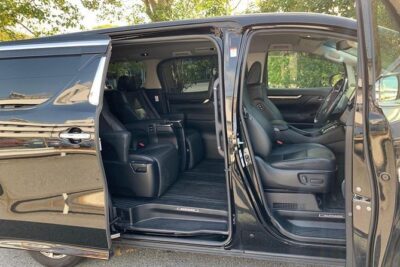
Haneda Airport (HND) Private Transfer to Central Tokyo
Read our review →
Narita Airport (NRT) Private Transfer to Central Tokyo
Read our review →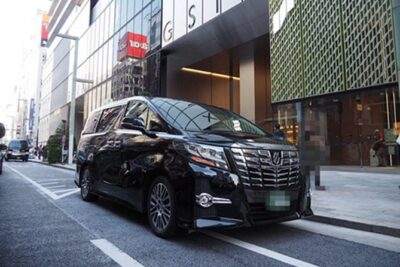
Private Haneda Airport (HND) to Central Tokyo City Transfer
Read our review →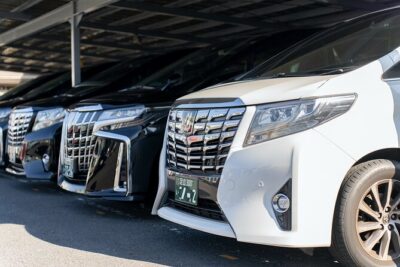
Narita Airport(NRT) Private Transfer To/From Tokyo 1-way or Round
Read our review →
Tokyo Disneyland or DisneySea Ticket & Door to Door Transfer
Read our review →
Private arrival Transfer from Narita Airport(NRT) to central Tokyo city
Read our review →
Private departure transfer from Tokyo city to Tokyo Haneda Airport(HND)
Read our review →
Tokyo private transfer to Haneda Airport (HND)
Read our review →Browse the lists this tour appears in